Windows 11 26H2: how to get it, who is eligible, what is new
Windows 11 version 26H2, also called the Windows 11 2026 Update, has been rolling out since September 29, 2026. If your PC runs Windows 11 version 24H2 or 25H2, it is a small update with one restart. Here is how to get it now, what you need first, and what changes.
How to get Windows 11 26H2
- Open Settings > Windows Update.
- Turn on Get the latest updates as soon as they're available. Microsoft says this is how to be among the first to receive 26H2.
- Select Check for updates.
- When "Windows 11, version 26H2 is available" appears, select Download & install.
- Restart once when asked.
Microsoft calls it a "controlled feature rollout": it reaches eligible PCs in stages, so you may not see it yet even if you do everything right (Microsoft).
Who can get it
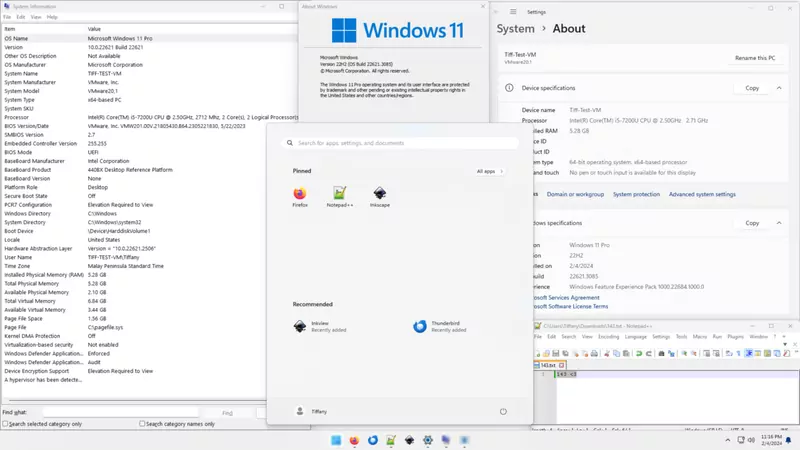
- PCs running Windows 11 version 24H2 or 25H2. Check yours in Settings > System > About or by pressing Windows + R and typing
winver. - The September 22, 2026 optional update KB5124010 or a later monthly update installed first.
- Windows 10 PCs cannot jump to 26H2. They need to move to Windows 11 first, or stay on Windows 10 with extended security updates until October 12, 2027: see why it is now October 2027.
Why it is so small
Windows 11 24H2, 25H2 and 26H2 share the same core system files. The 26H2 features were already delivered in monthly updates, some of them held back by temporary controls. 26H2 is an "enablement package", a small switch that turns on features already on the PC, so installing it needs one restart (KB5121794).
What is new
Microsoft's own list stresses that most of 26H2 is features that had already been added during the year. It highlights:
- Windows settings backup, which preserves supported settings and your list of Microsoft Store apps for recovery or a new PC.
- App-specific taskbar actions, with common actions available straight from the taskbar.
- File Explorer improvements to navigation and usability.
- Security extras: administrator protection and a built-in Sysmon tool, both off by default; a Smart App Control switch that no longer needs a clean install; and support for passkeys held in third-party credential managers (What's new for IT pros).
Microsoft lists the first three, settings backup, taskbar actions and File Explorer improvements, as enabled by default in 26H2 for commercial devices, meaning PCs managed by a company or school, where temporary controls had held them back (Microsoft Learn).
Support dates
| Version | Home and Pro updates end |
|---|---|
| 26H2 | October 10, 2028 |
| 25H2 | October 12, 2027 |
| 24H2 | October 13, 2026 |
Dates from Microsoft's release information. 24H2 Home and Pro PCs should update before October 13: see Windows 11 24H2 end of support.
Sources
- Microsoft Support: KB5121794 and Windows 11 version 26H2 update history
- Microsoft Learn: What's new in Windows 11, version 26H2 and Windows 11 release information