Pixel 6 end of life: last update and what to do next
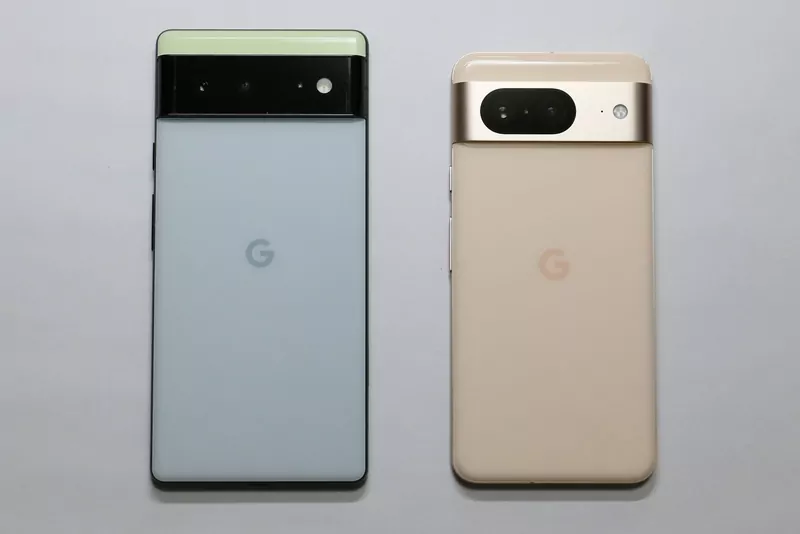
The October 2026 Pixel update, released on 6 October, is widely reported to be the last regular update for the Pixel 6 and Pixel 6 Pro. Both phones launched in October 2021 with five years of updates, and that period now ends (Droid Life, Beebom).
One caution: Google has not said outright that October is the final update. Trusted Reviews points out that Google's support page still lists the Pixel 6 among supported phones.
Quick answers
- Will my Pixel 6 stop working? No. It keeps working; it just stops getting new security patches from Google (Beebom).
- Is October the last update? Reports say so, but Google has not confirmed it explicitly.
- What about the Pixel 6a? It is on the same five-year rule, counted from its own launch in 2022, so it is covered for longer.
- How long do newer Pixels get updates? Pixel 8 and later get seven years.
What Google promises
Google's Pixel update page sets two rules, both counted from the date a phone first became available on the Google Store in the US:
| Phones | Updates |
|---|---|
| Pixel 6, 6 Pro, 6a, 7, 7 Pro, 7a and Pixel Fold | 5 years of OS and security updates |
| Pixel 8 and later, including the 8a, 9, 10 and 11 series | 7 years of OS and security updates |
The page does not give a calendar end date for each phone. For the Pixel 6, a launch in October 2021 puts the five-year mark in October 2026.
How the Pixel 6's support has wound down
- September 2026: Android 17 QPR1, the quarterly update, was the final feature update for the Pixel 6 and 6 Pro, and Google left both phones out of the Android 17 QPR2 beta (Beebom).
- 6 October 2026: the October update arrived for phones from the Pixel 6 to the Pixel 11 series. Its Android security patch covers 28 vulnerabilities, with six more Pixel-specific fixes listed in Google's bulletin (Trusted Reviews).
Check that you have the last update
Open Settings, tap System, then Software update and System update. Google says the rollout is phased over about a week, and it can arrive later depending on your carrier and country.
What to do if you own one
- Install the October update now, so you have the latest security fixes Google ships.
- Think about when to replace it, especially if you use the phone for banking or work. Beebom says the end of security patches makes this a good time to consider an upgrade.
- If you buy another Pixel, pick a model from the Pixel 8 generation onwards to get seven years of updates.
- Until you switch, install apps only from Google Play, keep your apps updated and be careful with links and attachments.
- Before you sell, trade in or give the phone away, back up your data and erase it.